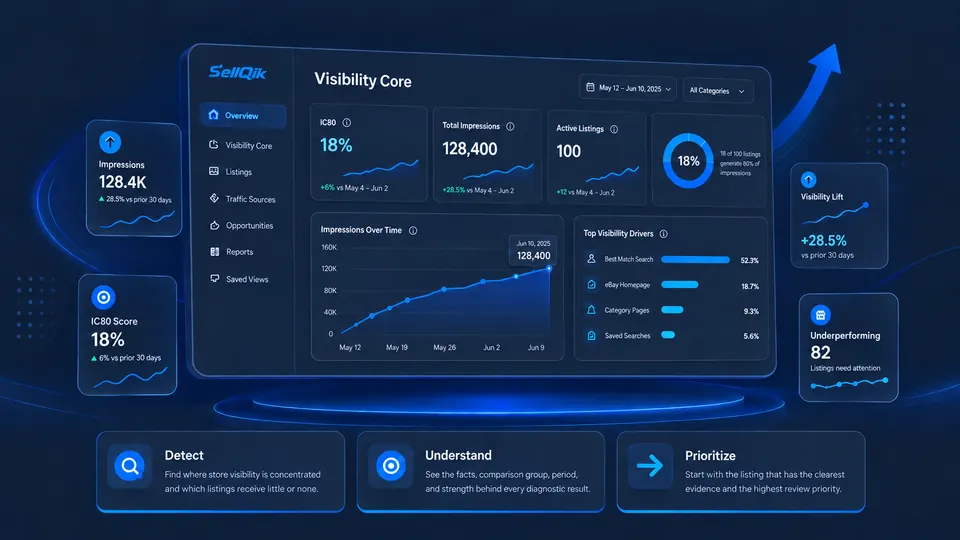
VISIBILITY DIAGNOSTICS FOR EBAY SELLERS

See Where Your eBay Traffic Goes.
Find What Gets Left Behind.

SellQik shows how visibility is distributed across your store, which listings need attention, and what to review first.

✓ Official eBay connection✓ Read-only first audit✓ No credit card required✓ Disconnect anytime
SellQik
May 1 – May 30, 2026
STORE VISIBILITY AUDIT

Your Visibility Core

Audit ready
IC8018%

18 of 100 active listings generate 80% of impressions

18listings
Total Impressions48,240↑ 12.0%
Median / Listing126↑ 8.4%
Zero Visibility14↓ 3 listings
Review this listing firstVery Low Visibility · 84% below its comparable group
Analyze →

Detect

Find where store visibility is concentrated and which listings receive little or none.

Understand

See the facts, comparison group, period, and strength behind every diagnostic result.

Prioritize

Start with the listing that has the clearest evidence and the highest review priority.

ONE AUDIT. A CLEARER STORE.

Know what is visible—and what is being left behind.

SellQik turns store-wide traffic data into a focused diagnostic view without pretending to know what the data cannot prove.

Visibility Core18%

18 of 100 active listings generate 80% of impressions.

80% of impressions
Total Impressions48,240↑ 12% vs previous period
Active Listings100Full eligible assortment
Median Impressions126Per active listing
Zero-Visibility Listings14↓ 3 vs previous period
Top 20% Impression Share72%Share held by the leading 20%

LISTINGS THAT NEED ATTENTION

Four states. No vague red flags.

Explore the full audit
14

Invisible

No applicable impressions in the selected period

9

Very Low Visibility

Far below a comparable group

6

Seen, Not Clicked

Visible, but not earning engagement

4

Clicked, Not Purchased

Interest without a purchase

Insufficient Data is shown separately and never treated as a problem.

HOW SELLQIK WORKS

From connection to a clear next step.

01

Connect

Authorize through the official eBay flow.

02

Prepare

We collect and validate a complete store snapshot.

03

Reveal

See your Visibility Core and attention groups.

04

Prioritize

Know which listing deserves review first.

05

Follow Progress

Compare reliable store snapshots over time.

BUILT FOR DIFFERENT INVENTORY MODELS

Your store is not judged by the wrong model.

SellQik adapts comparison groups and diagnostic weight to the way your inventory actually works.

See store types
One-of-a-KindUnique inventory
RepeatableRepeatable SKUs
Similar CatalogMany related items
Mixed InventoryMultiple models together

SECURITY AND DATA CONTROL

Your store stays under your control.

SellQik uses the official eBay authorization process. The first audit uses read-only access, never receives your eBay password, and never edits a listing.

Official eBay OAuthMinimum required accessDisconnect anytimeRequest data deletion

YOUR STORE ALREADY HAS THE ANSWER

Find the listings your buyers aren't seeing.

Discover your Visibility Core and decide what to review first.